
Beta BYD infotainment · alternative launcher
A calmer home screen for your BYD.
Kinex is a custom launcher (home screen) for supported BYD head units - minimal, clear, and built with the global market in mind. Feedback is welcome as we refine the experience.
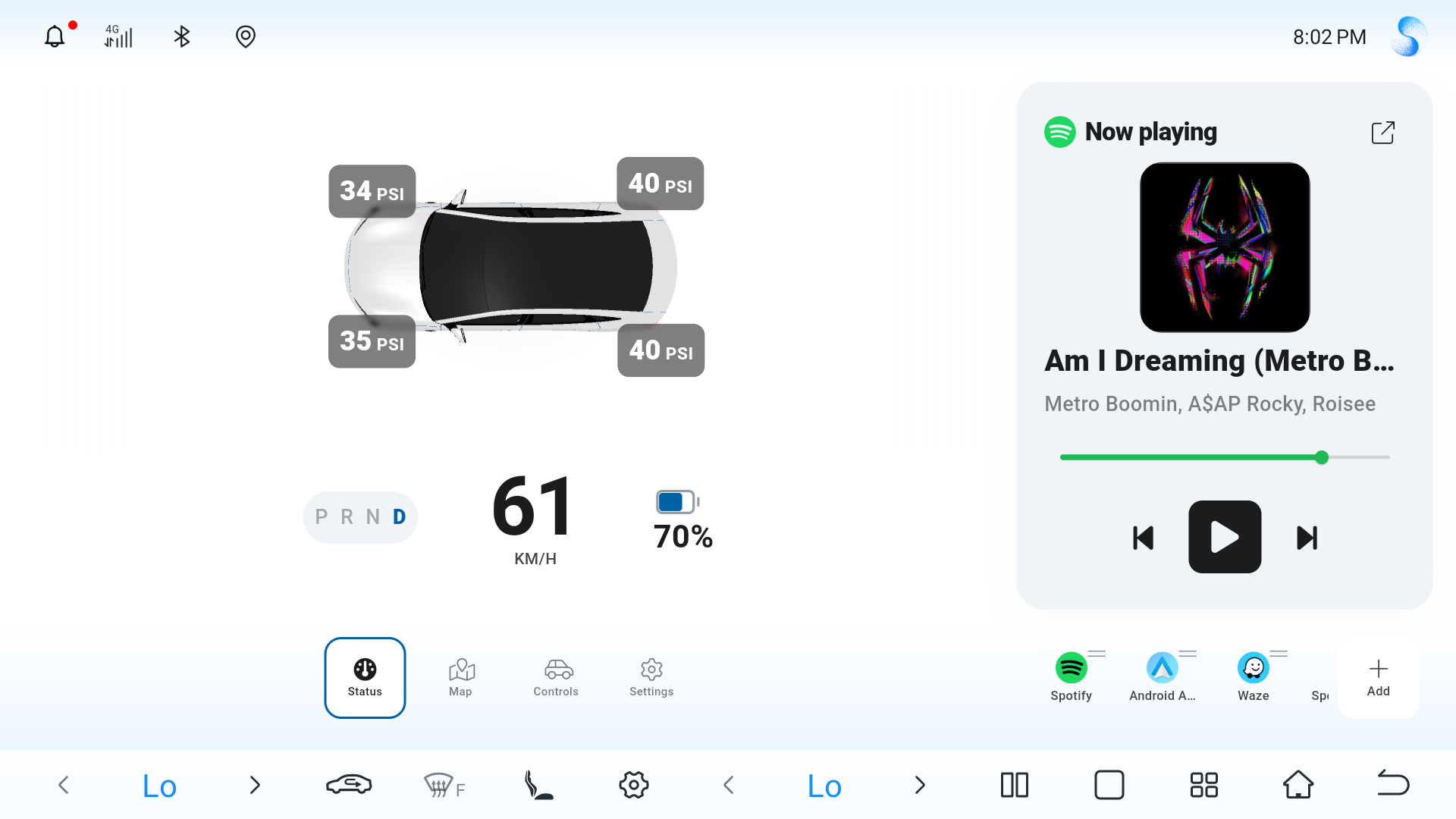
Screenshot placeholder
Add your UI image as assets/ss1.png (or update the path in HTML).
Why Kinex
Third-party launchers often feel bolted on. Kinex aims to feel intentional: fewer distractions, clearer navigation, and a layout that stays out of your way on the road.
-
Minimal & focused
Cut the clutter - large touch targets and a restrained visual hierarchy so essentials stay readable at a glance.
-
Pretty, not flashy
Polished typography and spacing that match a modern cockpit without turning the screen into a light show.
-
Built for the global markets
Other third-party launchers tend to ignore the needs of markets outside of China. Kinex aims to be a great experience for everyone.
In the cockpit
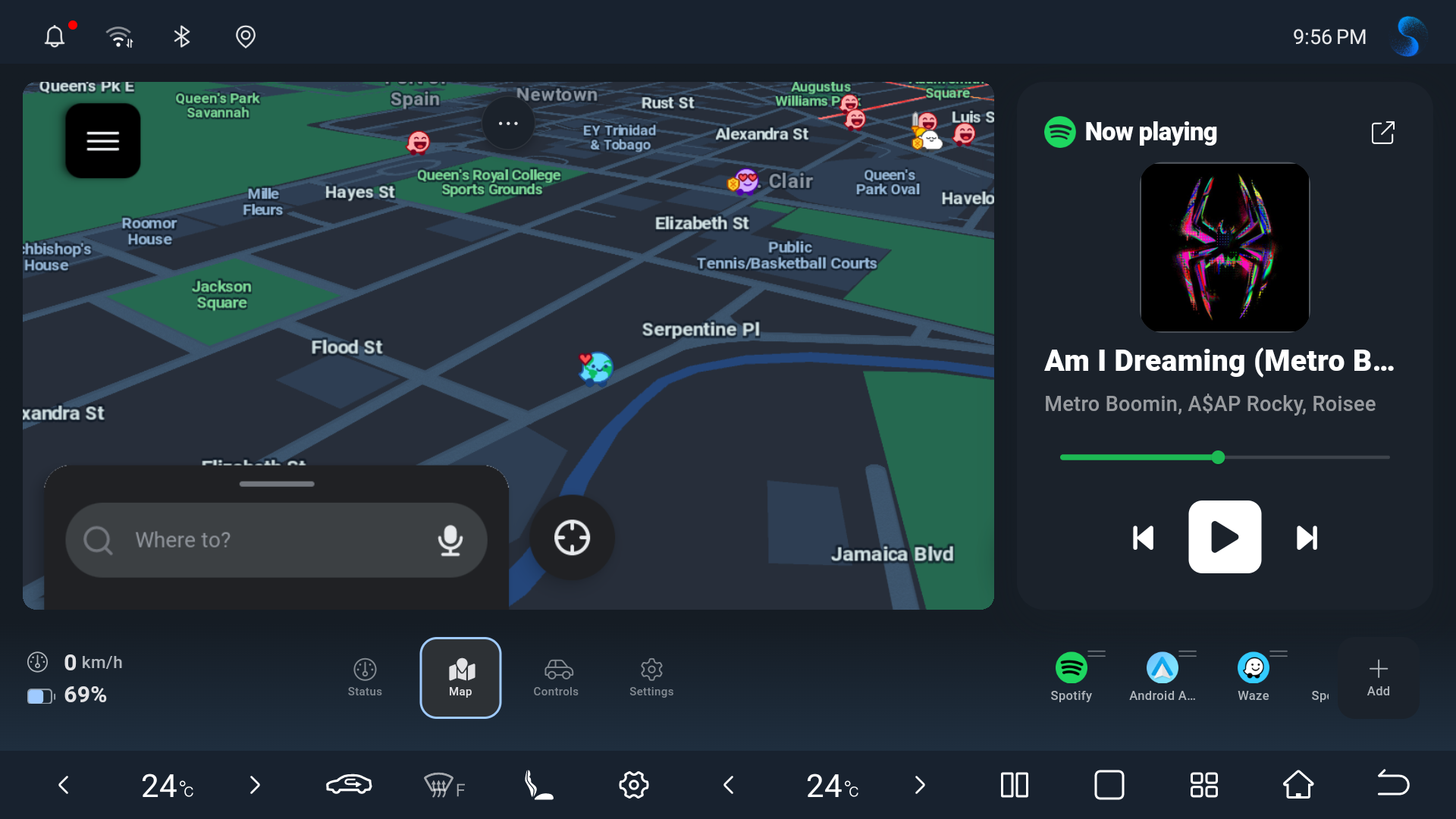
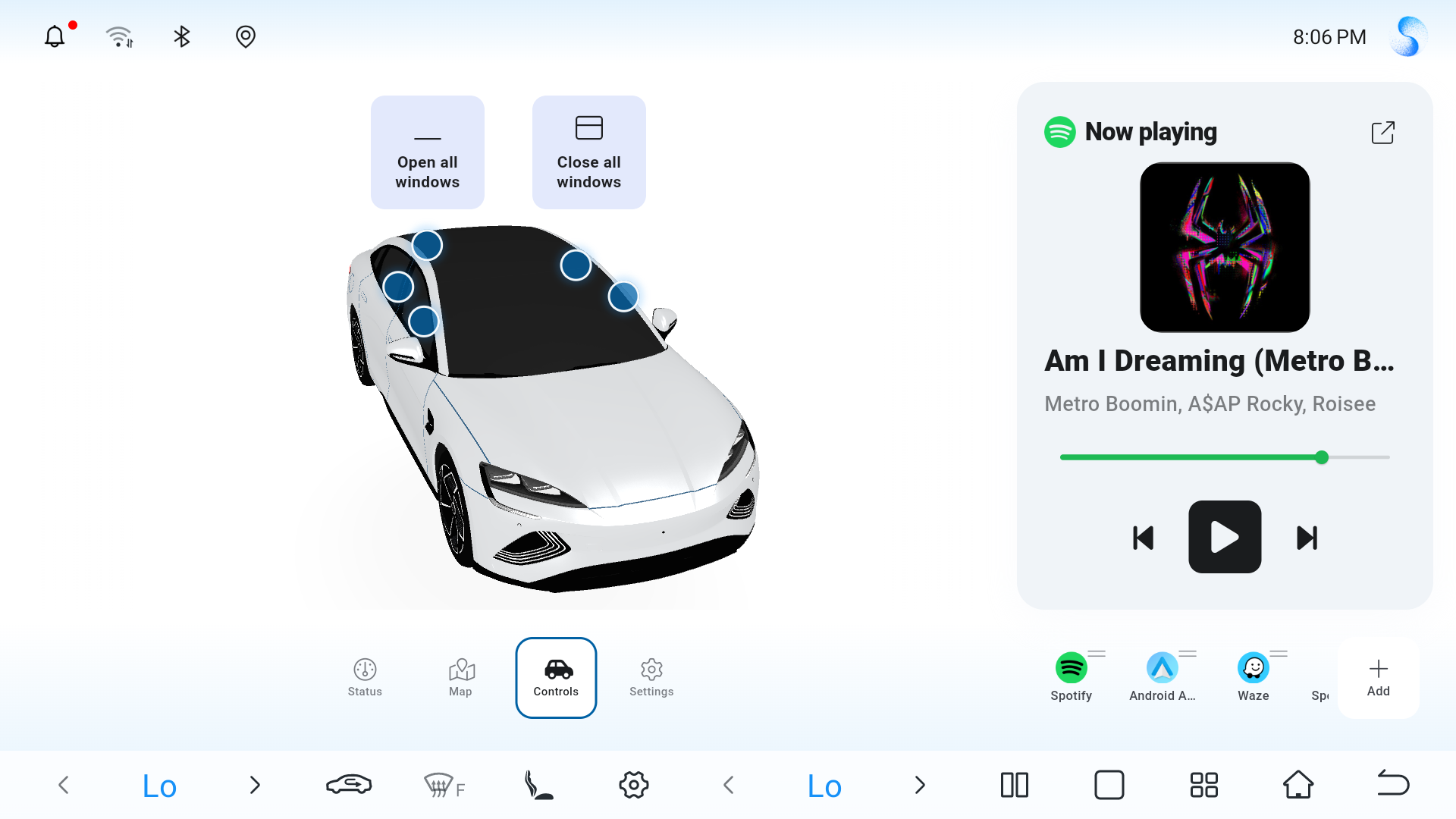
Real UI on the head unit - telemetry, navigation, and controls in context (including the same main view as the banner above).
Supported vehicles
Coverage depends on firmware and hardware; verify on your unit before relying on Kinex for daily driving.
- Seal
- Atto 3 (Yuan Plus)
- Atto 2 (Yuan Pro)
- Seagull
- Dolphin
- Seal-U (Song Plus)
Download
BetaKinex is in public beta. Grab the latest APK for your supported head unit and check the changelog for what changed.
Beta software may change quickly or behave differently by car or firmware. Link is a placeholder - point this button to your release host or GitHub Releases when ready.
How to install
High-level steps; your car’s menus may use different names. Adjust for your firmware version.
-
1
Enable debugging and third party apps
(Placeholder - will add steps later)
-
2
Transfer the APK
Copy the downloaded APK to USB storage or send it to the head unit using the method your system supports.
-
3
Open the APK and install
Use the file manager to locate the APK, tap to install, and accept permissions as prompted.
-
4
Set Kinex as launcher (optional)
When the system asks for a default home app, choose Kinex if you want it to open on startup - your OEM launcher remains available. Alternatively, go to the "Settings" tab in Kinex and adjust the Default Launcher setting.
Questions, bugs, or feature ideas?
Join DiscordFAQs
Short answers for common questions.
- Why Kinex?
- Because I disliked the default launcher as well as third party ones like dudu.
Changelog
Release notes for Kinex builds.